
 Umrah
UmrahHow to Book Rawdah on Nusuk App 2026: Step-by-Step Guide + OTP/Login Fixes (UK)
If you’ve tried to book Rawdah (Riyazul Jannah) and the Nusuk app hits you with “no slots available”, an OTP that never arrives, or a login loop that won’t let you in, you’re not alone. For many UK pilgrims, the hardest part isn’t getting to Madinah. It’s getting the app to cooperate at the exact moment you need it.
Rawdah is one of the most emotional and unforgettable moments of the journey, but it’s also one of the most controlled and time-sensitive. Slots appear and disappear quickly, the app behaves differently on different networks, and small details like how your name is typed can stop the whole booking.
Noted: Rawdah, located between the Prophet’s ﷺ home and pulpit inside Masjid an-Nabawi, is described as a garden from Paradise.
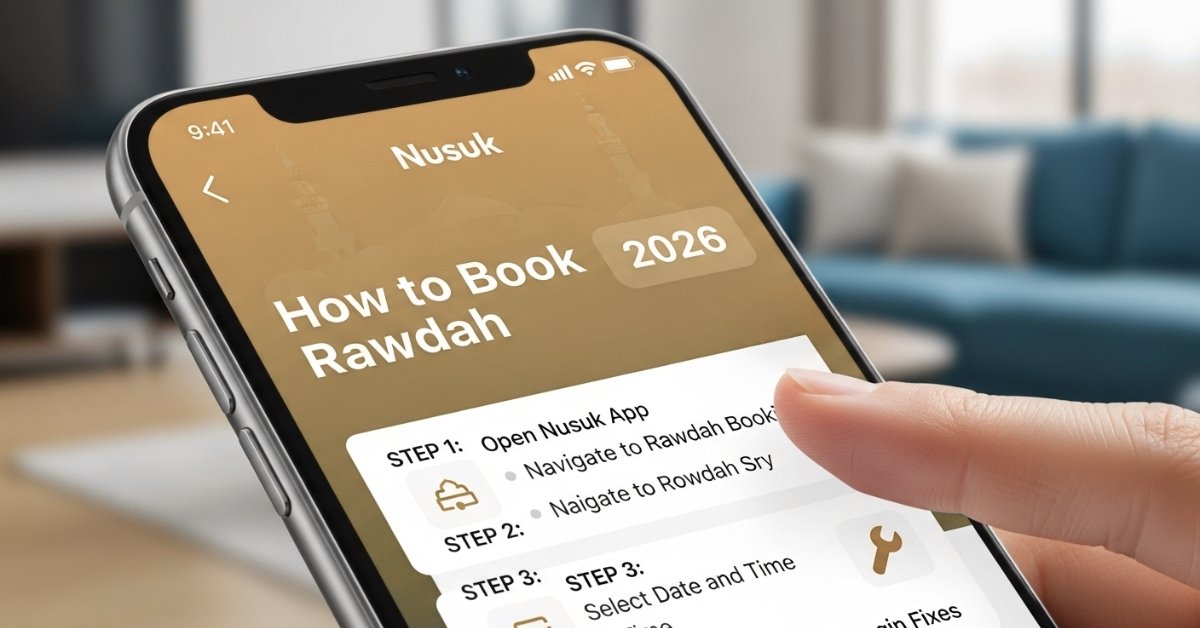
How to book Rawdah on Nusuk app 2026 (quick steps)
These quick steps show the fastest way to book a Rawdah (Riyazul Jannah) permit on Nusuk in 2026.
- Download Nusuk on iOS/Android and open it.
- Create an account (use the same name spelling as your passport) and verify with OTP.
- Go to Permits / Services (sometimes shown as Prophet’s Mosque Services).
- Select Rawdah / Riyazul Jannah booking.
- Choose Madinah and select Men/Women.
- Pick an available date + time slot and confirm.
- Save your permit (keep the QR code ready on your phone).
What you need before you start (UK-friendly checklist)
| You need | Why it matters |
| Passport details | Prevents “info mismatch” during signup/login |
| A working phone number (UK or Saudi) | OTP delivery depends on the network/roaming |
| Email access | Backup for verification and account recovery |
| Stable internet (Wi-Fi + mobile data) | Helps when slots load slowly or fail |
| A few flexible Madinah dates | Slots can disappear fast |
Set up Nusuk and fix login/OTP issues (UK pilgrims)
If you can’t log in or your code never arrives, Rawdah booking becomes impossible, so it’s worth getting this part right first.
Create your account the right way (avoid “details don’t match”)
- Download Nusuk and tap Sign up.
- Enter your details exactly as they appear on your passport (same spelling and order).
- Use a phone number you can access at all times.
- Complete the verification step and log in once successfully.
Nusuk app OTP not receiving (UK fixes that work)
If you’re thinking, “Why is my Nusuk app not sending OTP to my UK number?” this is the checklist that usually solves it.
| Issue | Most common reason | Fix (UK-friendly) |
| OTP not coming by SMS | Roaming off, weak signal, blocked short codes | Turn roaming on, restart phone, switch to mobile data, request OTP again |
| OTP not coming on Wi-Fi | Wi-Fi blocks or unstable network | Turn Wi-Fi off and try on mobile data (or change Wi-Fi network) |
| OTP delayed or missing by email | Inbox filtering or email delay | Check spam/junk, search “Nusuk”, wait 5–10 mins, resend |
| App freezes after OTP | App cache/session bug | Force close, update app, clear cache (Android), or reinstall |
| Login loop / can’t sign in | Wrong credential or profile mismatch | Reset password, re-check passport spelling, try again after reinstall |
Quick UK tip: Practical insight: Many UK pilgrims report OTP issues resolving immediately after switching from UK roaming to a local Saudi SIM once arriving in Madinah.
Nusuk app login problem UK (fast troubleshooting)
If you can open the app, but it won’t let you stay logged in:
- Update Nusuk to the latest version (older versions can behave differently).
- Force close the app and reopen it.
- Switch networks (Wi-Fi ↔ mobile data).
- Clear cache / reinstall if the app keeps looping.
- Make sure your phone date/time is set to automatic (manual time settings can break verification on some apps).
Nusuk permit for Rawdah step by step (tap-by-tap)
Once your account is working, booking Rawdah is usually quick; the only real challenge is finding an open slot before it disappears.
Step-by-step: book Rawdah (Riyazul Jannah booking) in Madinah
- Open Nusuk and sign in.
- Go to Permits / Services (or Prophet’s Mosque Services).
- Tap Rawdah (often labelled as prayer/visit in the Noble Rawdah).
- Choose Madinah as the location (Masjid an-Nabawi).
- Select your category: Men or Ladies.
- Pick an available date from the calendar.
- Choose a time slot, then tap Confirm.
- Open My Permits / My Bookings and save the permit on your phone.
Can I use a screenshot of my Nusuk permit?
In most cases, you should keep the permit inside the app because staff may need to scan or verify the QR code properly. Still, taking a screenshot is useful as a backup if your internet drops. The safest approach is:
- Keep it saved in Nusuk, and
- Keep one screenshot as an emergency backup.
No slots available? Rawdah appointment
Seeing “no slots available” on Nusuk is normal, especially during busy weeks. It doesn’t always mean Rawdah is closed.
Why Rawdah slots disappear so fast
- Many people book the moment slots appear, then plans change and cancellations happen.
- Nusuk availability can look different depending on your connection and how often the app refreshes.
The best strategy to find a slot (simple and repeatable)
Use this method instead of randomly refreshing:
- Check 3 times a day (morning, afternoon, late evening).
- Search multiple days, not just one date.
- Be flexible on timing take any slot you can and plan your day around it.
- If you get a slot, confirm immediately. Waiting even 30 seconds can lose it.
- If nothing shows, switch network (Wi-Fi ↔ mobile data) and check again.
Rawdah opening times for ladies 2026
Ladies’ entry times and slot patterns can change based on crowd management. The most reliable way to confirm is:
- Check the Ladies option inside Nusuk, and
- Follow the timings shown on your permit after booking.
If you’re travelling as a family, don’t assume men and ladies will get the same time. It’s common to book different slots.
How often can I book Rawdah in 2026?
Booking limits can change, so the safest approach is to follow what Nusuk allows at the time you book. If you’re asking how often can I book Rawdah in 2026, don’t plan on multiple visits in a short trip. Focus on securing one Nusuk permit for Rawdah and confirming it immediately. Keep permits saved on the phone you’ll carry on the day, and don’t wait too long for the “perfect” time.
On the day: entering Rawdah at Masjid an-Nabawi | Checklist
On the day of your visit in Madinah, give yourself a little buffer time. The area around Masjid an-Nabawi can be busy, and being early makes the whole Rawdah experience calmer.
- Open Nusuk before you reach the checkpoint and keep your Rawdah permit ready
- Make sure your phone has a battery and your permit loads on mobile data (not only hotel Wi-Fi)
- Keep a screenshot as backup, but show the permit in the app so the QR code can be checked
- Follow staff directions for entry routes, especially for ladies’ access, as lanes and timing can change
- Once inside, keep it focused and unhurried; your time slot can pass quickly
Conclusion
Booking Rawdah through Nusuk can feel stressful, but once your login and OTP work, it becomes a simple step-by-step process. Stay flexible with dates, check for slots a few times a day, and keep your permit ready on the day in Madinah. If you’re still planning your trip, explore our Umrah packages from UK 2026 and reach out for availability.
Looking for Umrah packages from UK 2026?
If you’re still planning your trip after booking Rawdah, we can help you choose the right dates, hotels, and flights for a smooth Madinah + Makkah journey.
Why is my Nusuk app not sending OTP to my UK number?
Turn roaming on, restart your phone, and switch between Wi-Fi and mobile data. Request the OTP again on a stronger signal.
Can I book Rawdah before I arrive in Madinah?
Yes, if your Nusuk account is verified and slots are available. If you’re stuck with login/OTP issues, try again once you’re on a stable connection.
Can I use a screenshot of my Nusuk permit?
Use the permit inside Nusuk first so the QR code can be checked. Keep one screenshot only as backup if your internet drops.
What are the Rawdah opening times for ladies in 2026?
Timings can change, so follow the time shown in Nusuk under the Ladies option after you book. Don’t rely on fixed timings from old posts.
What are Rawdah appointment release times?
There is no guaranteed daily release time. Check a few times a day and stay flexible with dates and times.
Best time to check for Rawdah slots from London?
Check morning, late morning, and evening (UK time) to cover different times in Saudi. If you’re already in Madinah, check again on strong hotel Wi-Fi and mobile data.

